 .FaultTriggering.UsersGuide.Tutorial.FaultSimulation .FaultTriggering.UsersGuide.Tutorial.FaultSimulation
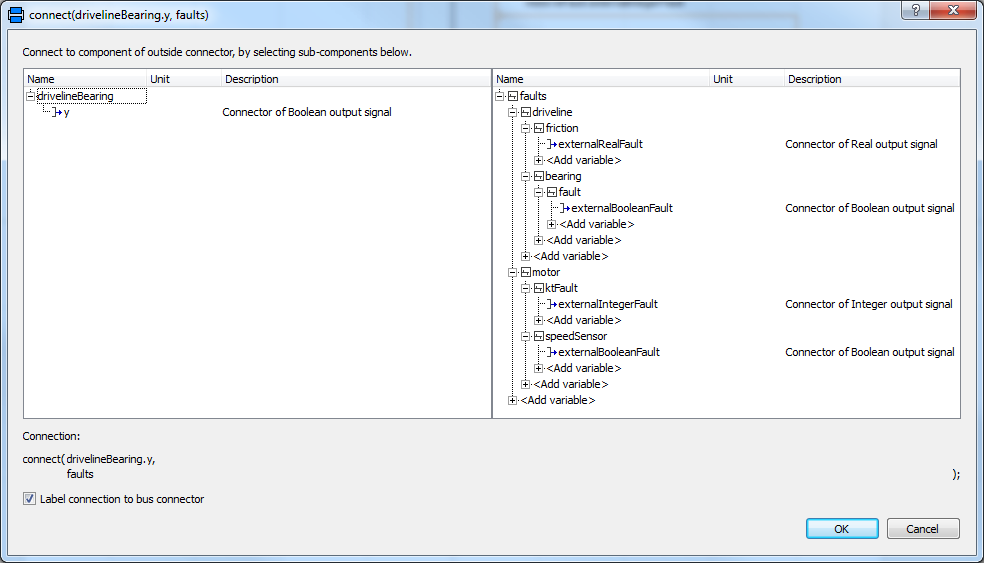
After the model setup and the wrapper generation using FaultTriggering.createFaultPackage, the variable faults have to be connected to supply the variable values to the model. These faults all have to be fed into the hierarchical faultbus. The connector model from the FaultBus Package "FaultTriggerController" has to be set up. Connecting a source to the bus, brings up a GUI where the user can select the individual fault to which this source should be coupled. Below an example of the GUI from Dymola is shown:
Using this method all faults should be connected. Below an example of how this model can be connected is shown.
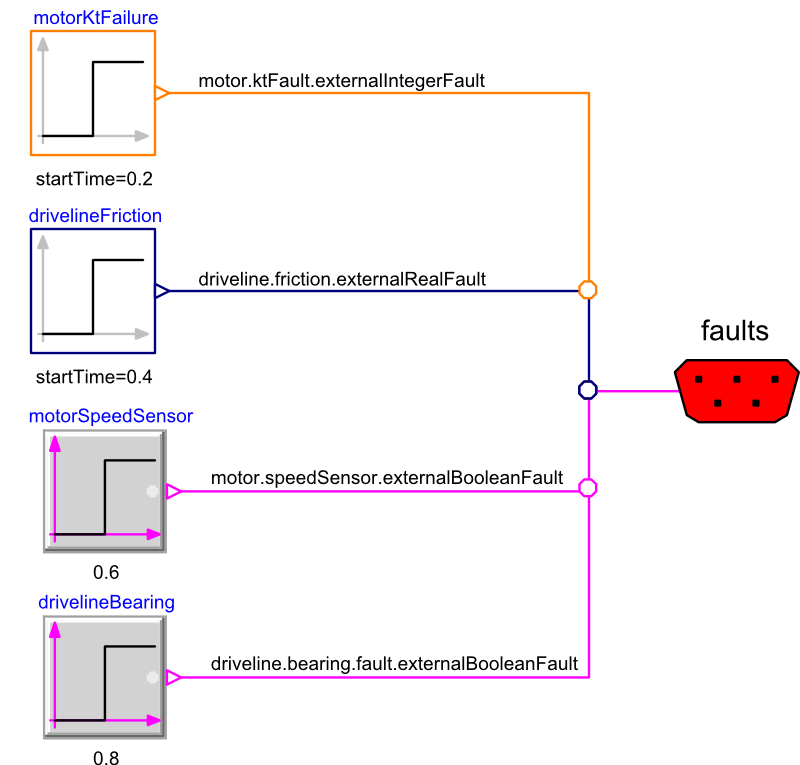
After setting up this model, the simulation can be started. For the demo model Actuator a complete set up of a faultwrapper library is given: FaultTriggering.Examples.ActuatorExample.ActuatorFaults. In this library FaultTriggerController is pre-configured.
For the use in Simulink, it is possible to directly set the bus as
an input. Use the supplied "FaultsInput" to set up the input for
the usage with the simulink. First, the FaultTriggerController
block should be editted. Add a FaultsInput bus and connect the
two:

Also in the wraper model, a faultsInput bus should be added:
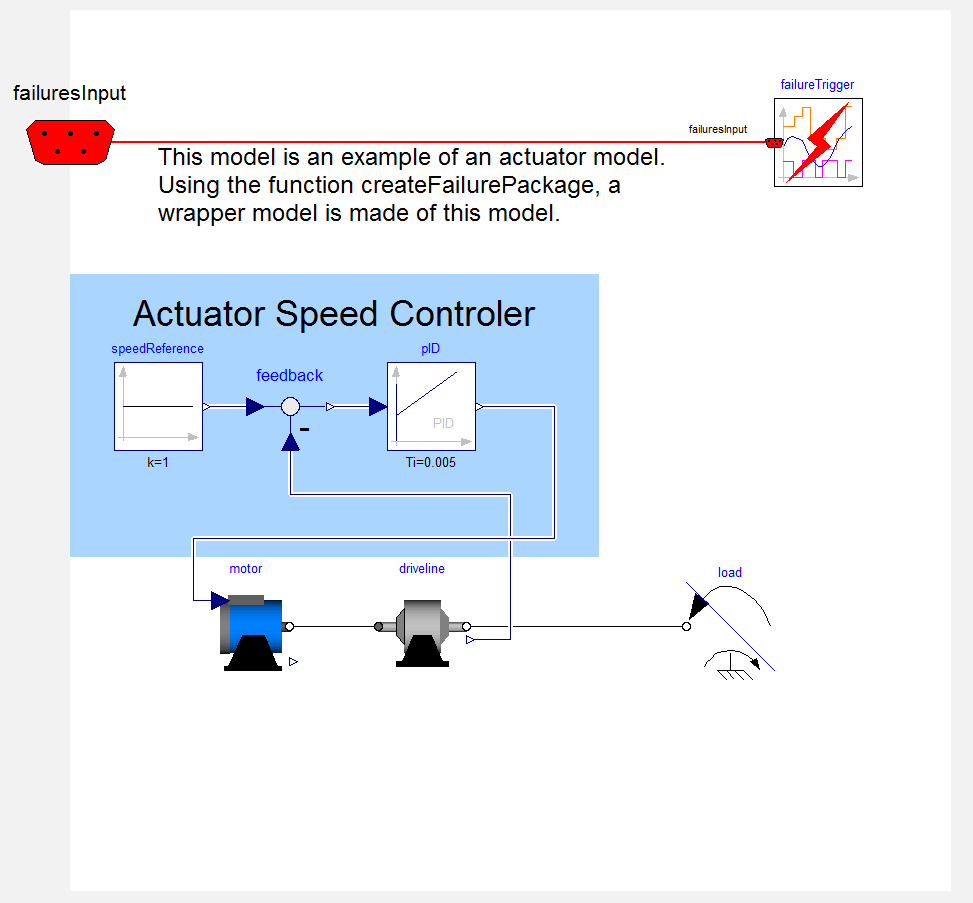
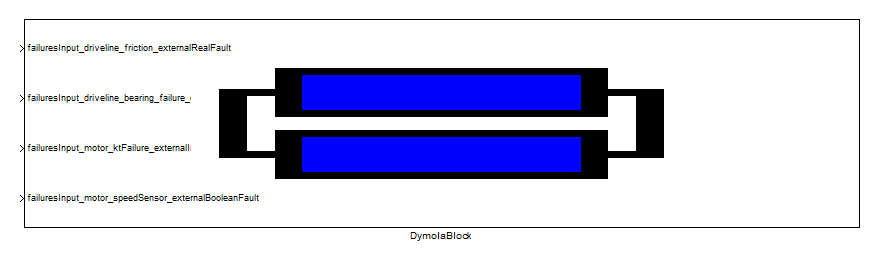
Using this setup, the model can be directly integrated in a simulink environment.
 |
Copyright © 2012-2015, DLR Institute of System Dynamics and Control |