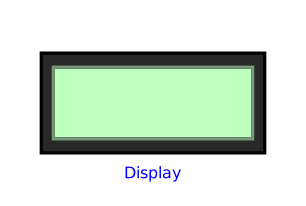
modelDisplay

Extends from Internal.Icons.TwoLineTextIcon (Icon of a 20x2 character display: two-line text rendering, shared by the display peripherals).
Information
Educational display peripheral, true to a 20×2 character display: to be connected with connect(mcu.Display0, display.displayLink) (causal logical connector Interfaces.DisplayLinkInput, not electrical - see requirements.md, decision "Périphérique d'affichage pédagogique"). Optional: connect it in a circuit or not, as the teaching needs require, like any other peripheral of Peripherals.
Behaviour at each reception (change(displayLink.seq), or initial() for a message written by the program before its first sleep(), during the initialization): (a) a line in the simulation log through Modelica.Utilities.Streams.print, with the received text and the time stamp; (b) two-line scrolling: the former content of line 1 (pre(displayLink.charCode), captured just before the update) becomes line 2 (line2CharCode), and the new message takes line 1 (displayLink.charCode, shown directly) - like a real display shifting its history. Fixed light-green screen (no brightness variation: the text itself is enough to show the activity, a user decision).
How the text works around the limitation of String: a String variable is never written to the simulation results (.mat/.csv, checked empirically), so a DynamicSelect directly on payload could never animate. Workaround: Internal.Functions.StringToCharCodes (shared external "C" function, independent of PyRuntime) converts each payload into an array Integer charCode[Interfaces.DISPLAY_COLS] (ASCII codes, padded with spaces) — an Integer, unlike a String, IS stored in the results like any other numeric quantity. Each column of the icon (20 per line, 2 lines) rebuilds its character through an if/elseif on its charCode[i] (same principle as a colour interpolation through DynamicSelect, applied to a String rather than to an RGB Integer[3]). Comparison with a tolerance (abs(charCode[i] - code) < 0.5) rather than exact equality (==): replay/time scrolling in OMEdit rebuilds the value by interpolating a trajectory stored in double precision (even an Integer of the model is stored as a floating-point number in the .mat file) — an exact equality against a value off by a few 1e-6 around the expected integer failed intermittently, causing visible flicker even on a steady message; the tolerance absorbs this noise without ambiguity since ASCII codes are always at least 1 apart. Supported character set: space, digits, upper/lower-case letters, common punctuation (! ' , - . ?) — a character outside this set is shown as a space. Interfaces.DISPLAY_COLS (20): beyond it, the message is truncated on the icon only (the full text remains available in the simulation log).
Connectors
| Type | Name | Default | Description |
|---|---|---|---|
| Interfaces.DisplayLinkInput | displayLink | To be connected to MCU.Display0 (connect(mcu.Display0, display.displayLink)) |
Components
| Type | Name | Default | Description |
|---|---|---|---|
| Integer[Interfaces.DISPLAY_COLS] | line1CharCode (from TwoLineTextIcon) | ASCII codes of line 1 (current message) - to be fed by the extending model, typically through Internal.Functions.StringToCharCodes | |
| Integer[Interfaces.DISPLAY_COLS] | line2CharCode (from TwoLineTextIcon) | ASCII codes of line 2 (previous message), for scrolling |