 .Buildings.ThermalZones.EnergyPlus_24_2_0.ZoneSurface .Buildings.ThermalZones.EnergyPlus_24_2_0.ZoneSurface
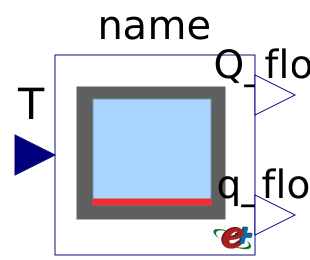
Block that sends for a room-side facing surface its temperature to EnergyPlus and receives the room-side heat flow rate from EnergyPlus.
This model writes at every EnergyPlus zone time step the value
of the input T to an EnergyPlus surface object with
name surfaceName, and produces at the output
Q_flow the net heat flow rate added to the surface
from the air-side. This heat flow rate consists of
By convention, Q_flow > 0 if there is net heat
flow rate from the thermal zone to the surface, e.g., if the
surface cools the thermal zone. The output q_flow is
equal to q_flow = Q_flow/A, where A is
the area of the heat transfer surface as obtained from
EnergyPlus.
Note that for most applications that require interfacing the front-facing and back-side facing surface with the building model, the model Buildings.ThermalZones.EnergyPlus_24_2_0.OpaqueConstruction is easier to use.
This model is typically used for a radiant slab above soil if the ground heat transfer is also modeled in Modelica. Consider an EnergyPlus input data file that has the following entry:
  BuildingSurface:Detailed,
    Living:Floor,            !- Name
    FLOOR,                   !- Surface Type
    FLOOR:LIVING,            !- Construction Name
    LIVING ZONE,             !- Zone Name
    Surface,                 !- Outside Boundary Condition
    Living:Floor,            !- Outside Boundary Condition Object
    NoSun,                   !- Sun Exposure
    NoWind,                  !- Wind Exposure
    0,                       !- View Factor to Ground
    4,                       !- Number of Vertices
    0,       0,     0,       !- X,Y,Z ==> Vertex 1 {m}
    0,      10.778, 0,       !- X,Y,Z ==> Vertex 2 {m}
    17.242, 10.778, 0,       !- X,Y,Z ==> Vertex 3 {m}
    17.242,  0,     0;       !- X,Y,Z ==> Vertex 4 {m}
To set the temperature of this surface, this model can be used as
Buildings.ThermalZones.EnergyPlus_24_2_0.ZoneSurface flo(surfaceName="Living:Floor");
The temperature of this surface will then be set to the value
received at the connector T, and the net heat flow
rate received from the thermal zone is produced at the output
Q_flow. The output q_flow = Q_flow / A is
the heat flux per unit area of the surface.
The model Buildings.ThermalZones.EnergyPlus_24_2_0.Examples.SingleFamilyHouse.HeatPumpRadiantHeatingGroundHeatTransfer illustrates this use. Note that if the ground heat transfer were modeled in EnergyPlus, then Buildings.ThermalZones.EnergyPlus_24_2_0.OpaqueConstruction should have been used, which is simpler to setup.