 .PlanarMechanics.Visualizers.Internal.CoordinateSystem .PlanarMechanics.Visualizers.Internal.CoordinateSystem
Note: This element is intended to be used in PlanarWorld and its derivatives only! To visualize a coordinate system in your model, the best solution is usually to use the visualizer Advanced.CoordinateSystem. The only difference between this two visualizers is that the current one does not utilizes outer planarWorld, whereas the other does.
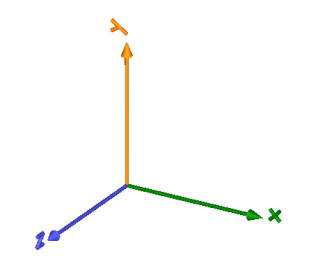
This element enbles visualization of an orthogonal coordinate system as shown in the following picture.
The variables r, R and
r_shape are declared as (time varying)
input variables. If the default equation is not
appropriate, a corresponding modifier equation has to be provided
in the model where a CoordinateSystem instance is
used, e.g., in the form
PlanarMechanics.Visualizers.Advanced.CoordinateSystem coordinateSystem(r = {sin(time), 0, 0.3});
Color of each axis can be set individually using a RGB color space given in the range 0 .. 255. Predefined colors from Types.Defaults are used throughout the library to get a coherent visualization.